Google Discover has become an important traffic source for publishers, bloggers, and digital media companies looking to reach new audiences. Unlike traditional Google Search, Discover recommends content to users based on their interests and browsing activity, allowing articles to attract significant visibility without requiring readers to search for a specific keyword.
However, getting an article featured in Discover is not guaranteed. Publishers need to combine strong editorial ideas, high-quality images, technical optimization, and a positive user experience. While no single technique can guarantee inclusion, following a structured publishing process can help improve an article’s eligibility and appeal.
Here is a practical framework for creating articles optimized for Google Discover right now.
1. Start With a Topic That Has Genuine Audience Interest
Before writing an article, identify a subject that people are likely to find interesting, useful, or relevant at a particular moment.
Discover is designed to recommend content based on individual interests rather than simply displaying pages in response to a search query. This means publishers should consider the audience’s motivations, questions, and interests when selecting topics.
Potential approaches include:
- Reporting on a significant development in a familiar industry.
- Explaining how a new regulation affects everyday life.
- Publishing a practical guide that solves a specific problem.
- Exploring a surprising personal story supported by reliable information.
- Covering a seasonal topic when audience interest is naturally increasing.
The most important principle is editorial relevance. A topic should provide a clear reason for someone to stop scrolling and read.
Publishers can use Google Trends, audience analytics, and their own historical performance data to identify subjects worth investigating. Trends can reveal rising interest, but they should be treated as research signals rather than guarantees of Discover traffic.
2. Use a Clear, High-Quality Image at 1600 × 900 Pixels
Visual presentation is one of the most important elements of an article prepared for Discover.
A clear image with a 1600 × 900 pixel resolution provides a 16:9 landscape format that works well across many digital publishing layouts. This is a practical editorial standard, although Google does not require every Discover image to have precisely these dimensions.
Choose an image that directly illustrates the article’s subject. For example, an article about a new electric vehicle should feature a recognizable image of the vehicle, while a personal finance story might benefit from an authentic photograph related to the person’s experience.
Follow these image guidelines:
- Use sharp, high-resolution images without excessive compression.
- Make the main subject immediately recognizable.
- Avoid misleading visual elements that do not match the article.
- Do not place important information too close to the edges.
- Prefer original photography or properly licensed images when possible.
- Avoid images dominated by text, logos, or promotional overlays.
For WordPress publishers, WebP can be a useful format for balancing visual quality and file size.
Google also recommends using large images, ideally at least 1200 pixels wide, and enabling large-image previews through max-image-preview:large. This helps make suitable images eligible for prominent previews, although display is not guaranteed.
3. Include the Main Keyword at the Beginning of the URL Slug
A clean URL helps users and search engines understand the subject of a page.
A useful publishing convention is to include the main keyword in the URL slug and place it near the beginning of the headline and opening paragraph.
For example, if the primary keyword is home energy savings, a possible slug would be:
/home-energy-savings-guide/
Keep URLs concise, descriptive, and easy to read. Remove unnecessary words and avoid adding dates unless they are genuinely useful for identifying the content.
The slug should accurately describe the article rather than attempt to manipulate Discover’s recommendation system. There is no confirmed Google Discover rule stating that placing a keyword at the beginning of a slug directly increases distribution.
The benefit is primarily clarity and consistency across the article’s editorial and technical elements.
4. Put the Main Keyword at the Beginning of the Headline
A headline must communicate the article’s subject quickly while giving readers a compelling reason to continue.
For example, consider the difference between these two headlines:
Less specific: “What You Should Know About Saving Money on Energy”
More direct: “Home Energy Savings: Five Changes That Can Reduce Household Waste”
The second headline introduces the topic immediately and establishes a clear editorial promise.
For Discover, however, the objective should not be keyword repetition. Headlines should be natural, accurate, and specific enough to help readers understand what they will find in the article.
Effective headlines often combine a recognizable subject with a concrete benefit, a meaningful development, or a question the article genuinely answers.
Avoid exaggerated claims, fabricated urgency, or headlines that promise information absent from the article. Google may limit recommendations for content that uses misleading or sensational presentation.
5. Add a Relevant External Link
External links can strengthen an article by directing readers to reliable sources that support important statements.
For example, an article discussing a government announcement could link to the relevant official government page. A story about a new Google Search feature might reference the appropriate documentation from Google.
A good external link should serve a clear editorial purpose. It should help readers verify information, explore a primary source, or understand the subject more deeply.
Use descriptive anchor text rather than generic phrases such as “click here.”
For example:
“According to the latest guidance in the Google Discover documentation, publishers should focus on content that serves their audience and follows Google’s content policies.”
The presence of an external link is not a confirmed Discover ranking factor. Its value comes from providing context, supporting factual accuracy, and improving the reader’s experience.
6. Include at Least One Relevant Internal Link
Internal linking connects the new article to other useful pages on the same website.
This helps readers discover related material and gives search engines additional context about the site’s content structure.
For example, a publisher writing about household energy costs could link to an existing guide about reducing electricity consumption or comparing energy tariffs.
Internal links should be relevant to the paragraph in which they appear. Avoid adding links simply to reach an arbitrary number.
A practical approach is to identify one or two existing articles that genuinely expand on the subject and connect them naturally within the text.
For publishers with large websites, internal linking can also help readers move between related stories, evergreen guides, and topical coverage.
Again, internal links should not be presented as a guaranteed way to trigger Discover distribution. They are part of sound website architecture and editorial navigation.
7. Make the Article Useful, Original, and Easy to Read
Technical optimization cannot compensate for an article that fails to satisfy readers.
The content should answer the central question promptly, provide meaningful details, and avoid unnecessary repetition. Use descriptive subheadings, short paragraphs, and examples where they improve understanding.
Whenever possible, include original reporting, firsthand experience, expert commentary, or useful analysis that distinguishes the article from existing coverage.
If artificial intelligence helps with drafting, editing, or research, the finished article should still be fact-checked and reviewed by an editor. Automated production alone does not guarantee quality or visibility.
For sensitive topics involving health, finance, or public safety, use trustworthy sources and be especially careful with claims that could influence important decisions.
8. Check Technical Eligibility Before Publishing
Before publishing, verify that the page can be accessed and understood by Google.
Check that:
- The page is accessible to Googlebot and is not unintentionally blocked.
- The page returns the correct HTTP status.
- The main content is visible and renders correctly on mobile devices.
- The page includes an appropriate, high-quality representative image.
- The headline accurately reflects the content.
- Canonical tags point to the intended URL.
- The page follows Google’s content policies.
Structured data can help search engines understand certain types of content, but it does not guarantee Discover inclusion. Ensure that any markup accurately reflects the visible page and follows the relevant guidelines.
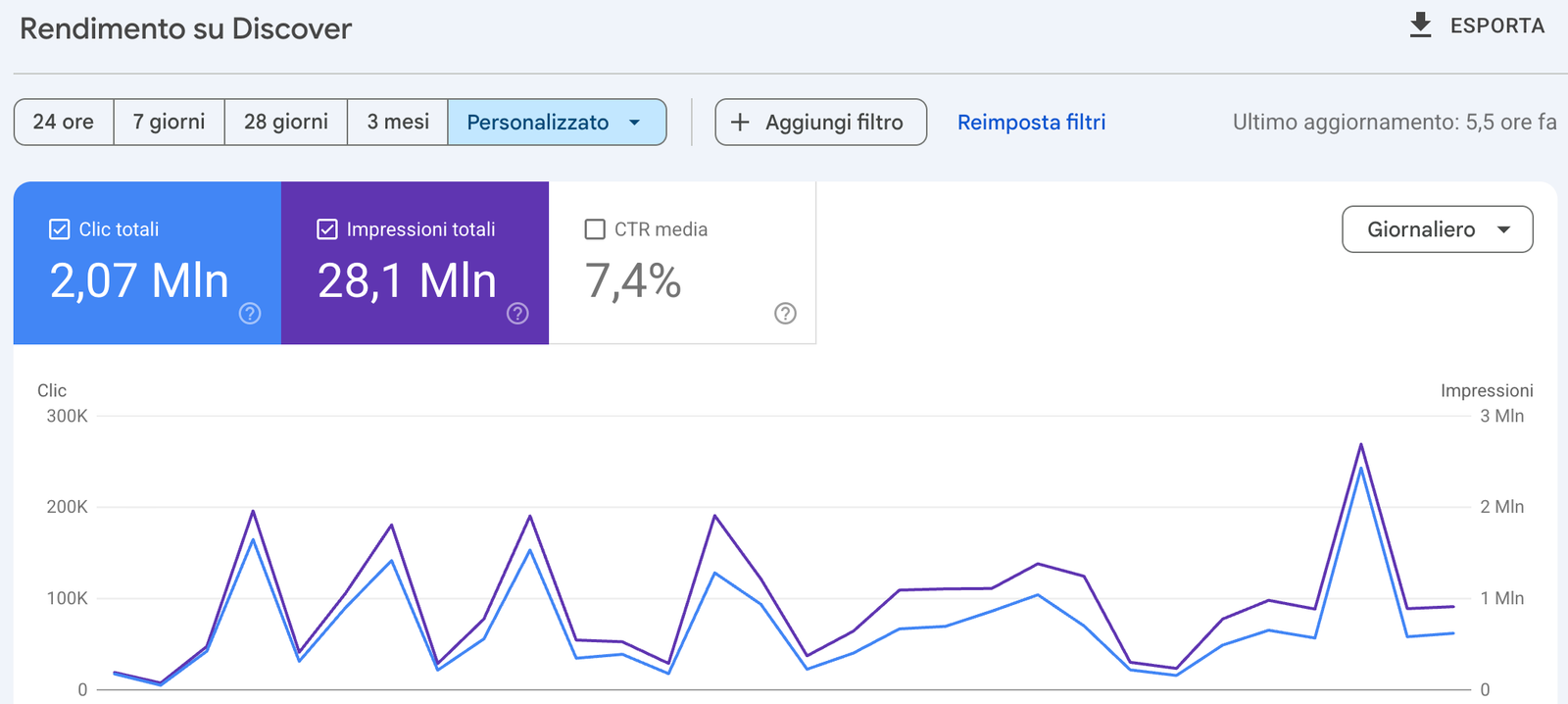
After publication, use Google Search Console’s Discover performance report, when available for your property, to monitor impressions, clicks, and click-through rate.
These metrics can help identify which topics and presentation styles resonate with your audience.
Conclusion: Build a Repeatable Publishing Process
Creating an article for Google Discover requires more than inserting keywords into a headline or uploading a large image. Publishers should combine audience-focused topic selection, clear headlines, strong visuals, useful internal and external links, original content, and sound technical foundations.
A practical pre-publication checklist is straightforward:
- Select a topic with genuine audience interest.
- Prepare a clear image at 1600 × 900 pixels.
- Create a concise URL slug containing the main keyword.
- Place the main keyword naturally near the beginning of the headline.
- Include a relevant external link and useful internal links.
- Review content quality, mobile usability, and technical accessibility.
- Measure the results in Google Search Console and refine future articles.
These steps establish a repeatable editorial process. They cannot guarantee that an article will appear in Discover, but they help publishers create content that is clear, useful, technically accessible, and suitable for recommendation to interested readers.